Visual Regression Testing

Regression testing asks whether existing behavior still holds after a change. Visual regression testing is the UI slice of that question: did shared CSS, a reused component, or a chart library shift something a user will actually see?
What visual regression testing isDirect link to What visual regression testing is
Resources like CSS and JS are shared across pages. When a new feature touches a common component, existing screens can shift without a single functional assertion failing. Visual regression testing captures a baseline of a page or element and compares later runs against it.
Typical catches:
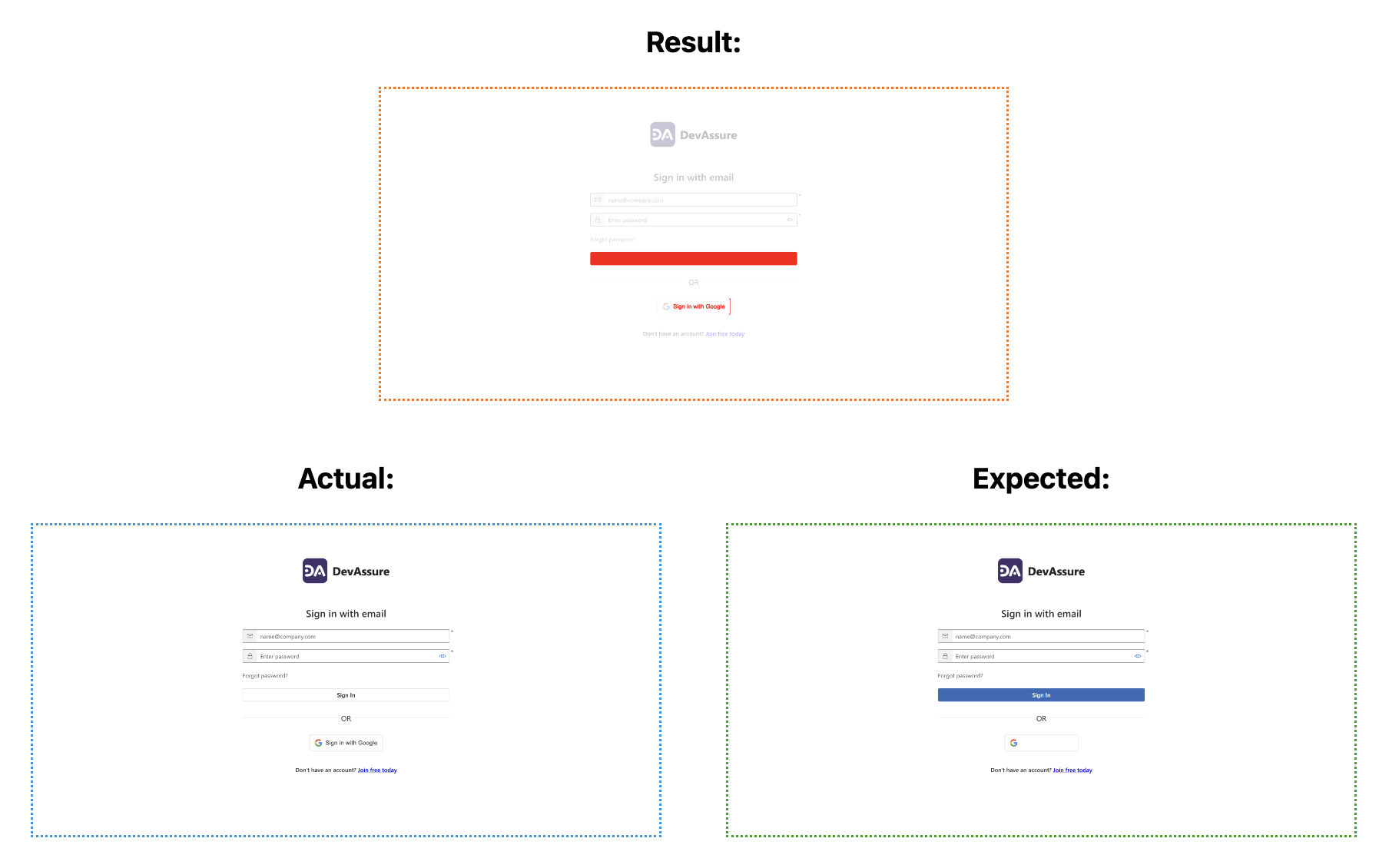
- A login button misaligned after a CSS change
- Checkout layout breaking on a mobile viewport
- Brand colors or fonts changing unintentionally
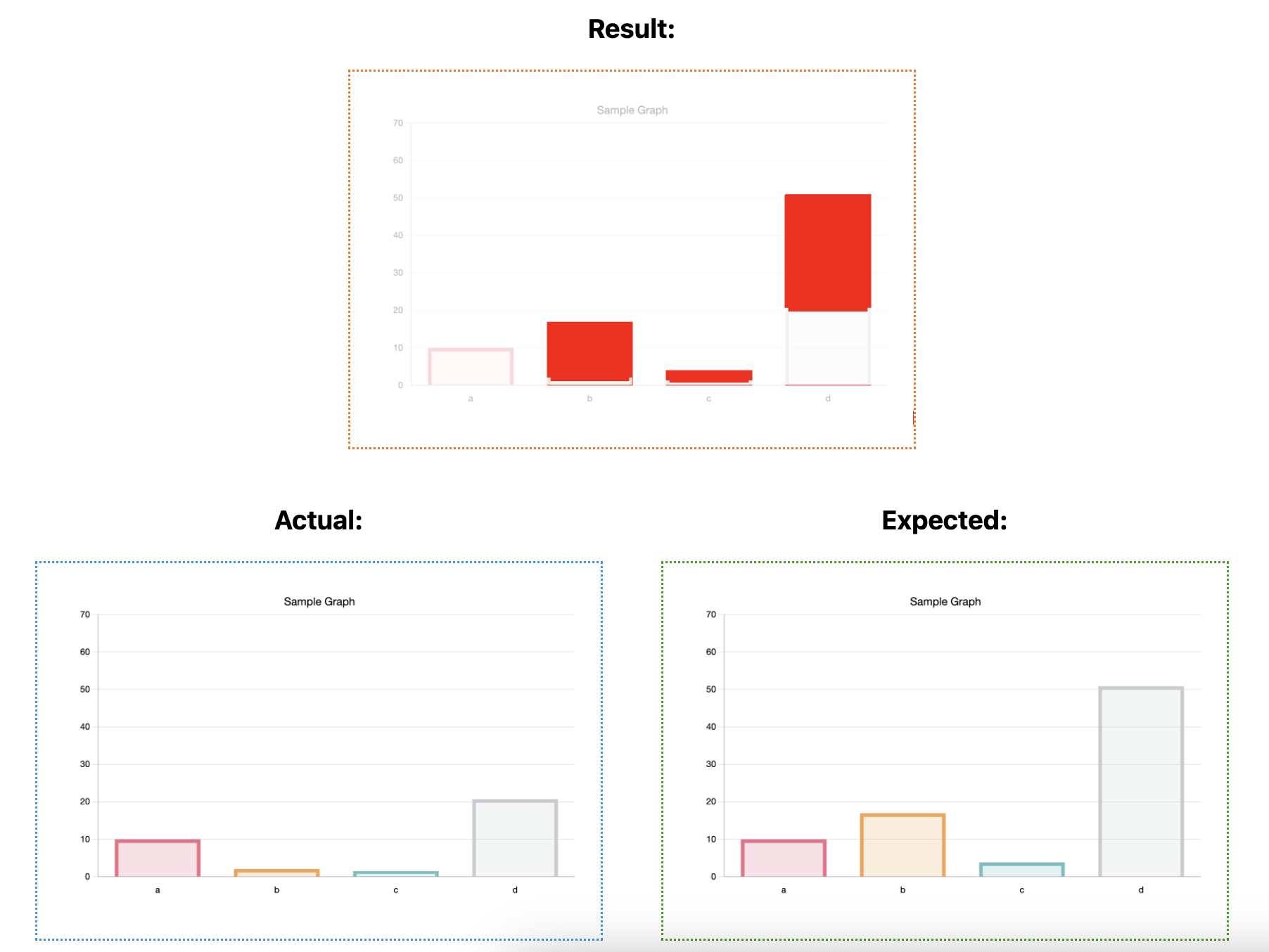
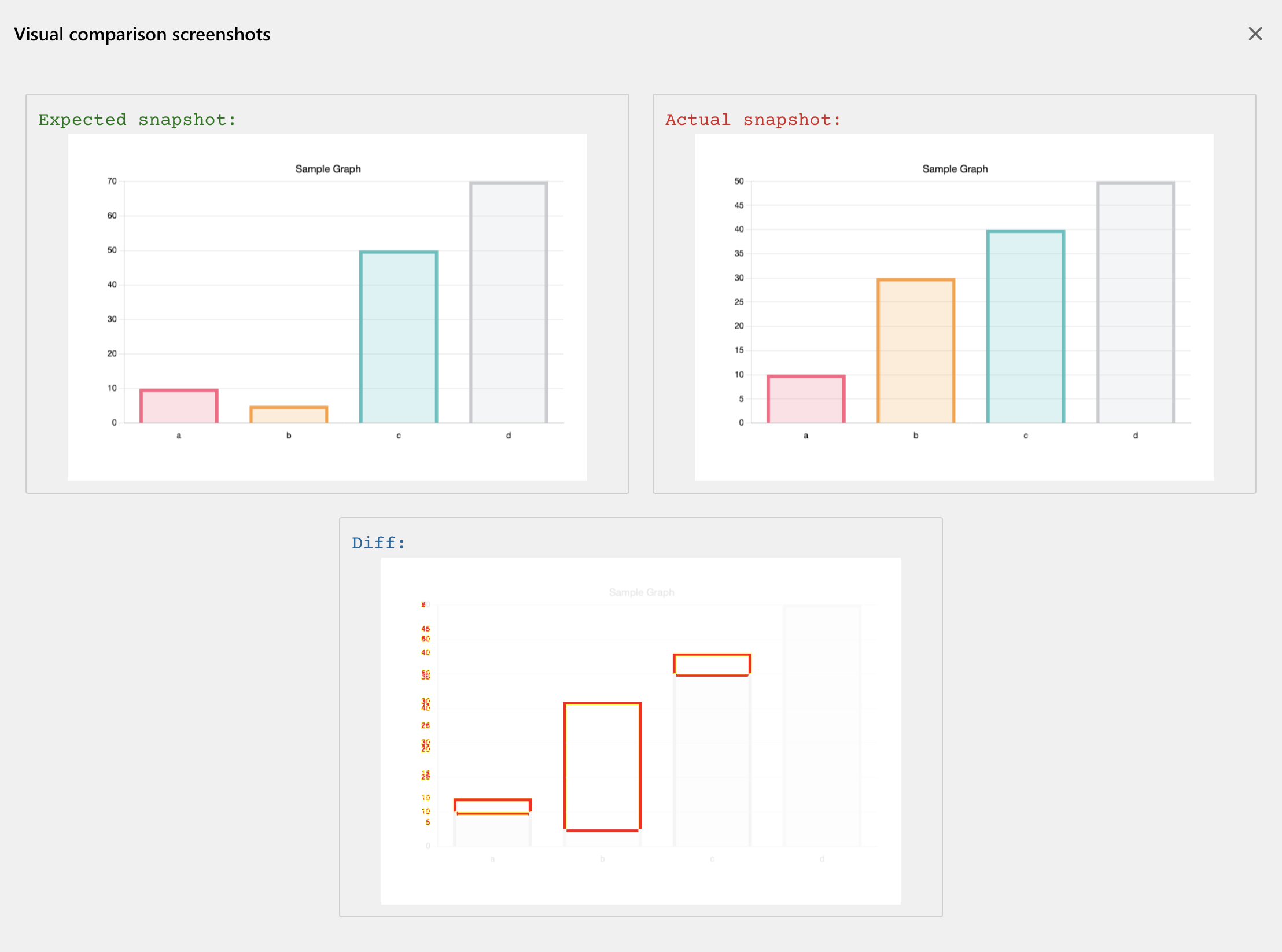
- Charts and graphs rendering the wrong shape even when the API payload is correct
Validating graphs by poking DOM attributes is unreliable. Pixel comparison of the rendered chart is usually the honest check.
Why it mattersDirect link to Why it matters
Manual eyeballing does not scale across browsers, viewports, and release trains. Building an in-house screenshot framework is doable for static pages and painful for dynamic ones — personas, live data, and responsive layouts all multiply the maintenance.
Visual checks sit on top of functional tests. They do not replace them. A green click-path can still ship a hidden payment button or a dashboard that dropped a series.
How pixel comparison worksDirect link to How pixel comparison works
The usual loop:
- Store a baseline snapshot (page or element) when the UI is accepted.
- On later runs, capture the current snapshot at the same viewport.
- Compare dimensions first; different sizes are already a failure (or a missing environment-specific baseline).
- Diff pixels, apply a threshold, and fail if the percentage difference is above it. A starting threshold for web UI is often
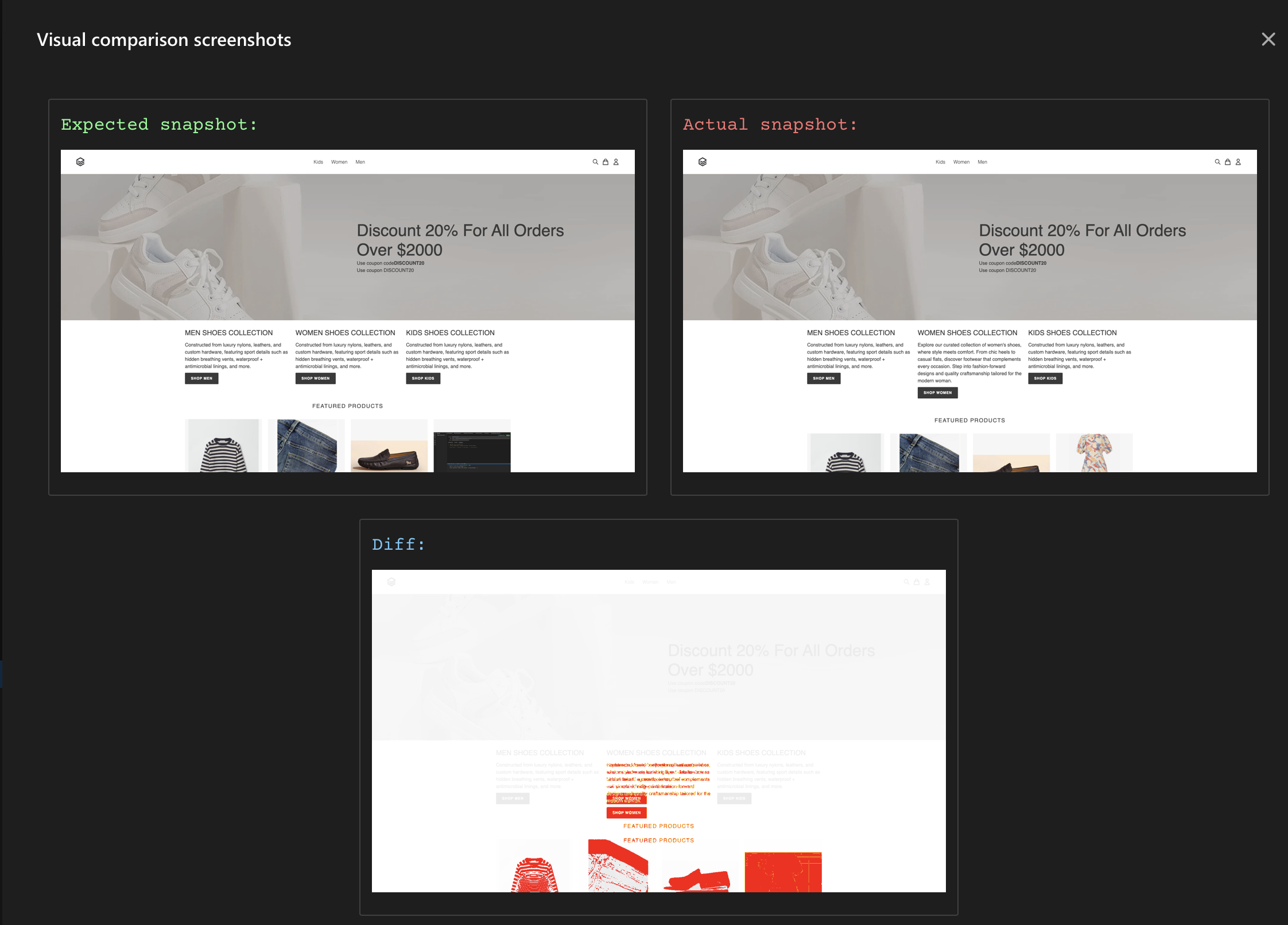
0.1; tune it for how much dynamic content the screen has. - Paint non-matching pixels on a result image so a human can see where, not just that it failed.
If tests run at multiple resolutions or browsers, put that in the label (homepage_1920x1080_chrome) so each context has its own baseline.
Doing it in SeleniumDirect link to Doing it in Selenium
You can interleave visual checks in an existing Selenium suite. A small VisualComparisonService that takes a unique label, writes visual-compare-base/{label}.png on first run, and diffs afterwards is enough to start.
private void visualCompare(TakesScreenshot screenshotObj, String label, boolean optional) {
    File baseFile = new File("visual-compare-base/" + label + ".png");
    try {
        if (!baseFile.exists()) {
            this.saveBaseSnapshot((TakesScreenshot) screenshotObj, baseFile);
        } else {
            File screen = screenshotObj.getScreenshotAs(OutputType.FILE);
            boolean result = ImageProcessor.compareImages(baseFile, screen, label);
            if (!result && !optional) {
                Assert.fail("Visual comparison failed for label " + label);
            }
        }
    } catch (IOException e) {
        if (!optional) {
            Assert.fail("Error performing visual comparison", e);
        }
    }
}
Commit the visual-compare-base folder so CI uses the same baselines. Compare a whole page or a single element; skip regions that are supposed to change.
Working code and a sample HTML report: visual-testing-demo.
Visual regression in DevAssureDirect link to Visual regression in DevAssure
DevAssure stores a base snapshot and compares it on later runs, including across release cycles.
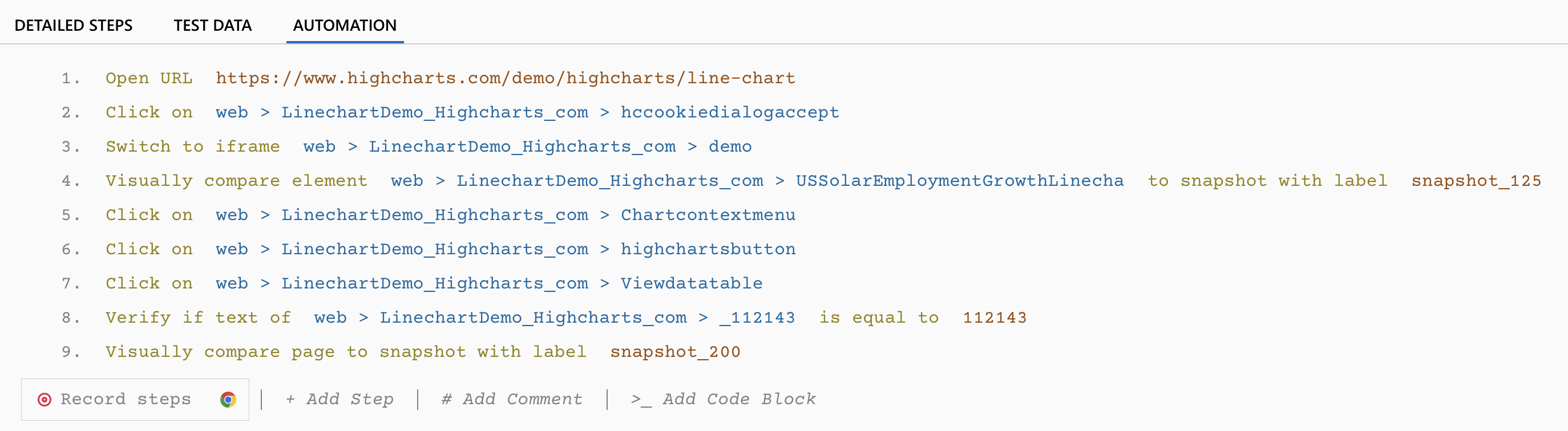
The report highlights alignment, color, position, font, and image issues. You can set a threshold for acceptable pixel difference.
Dynamic regions can be masked so the comparison ignores them:
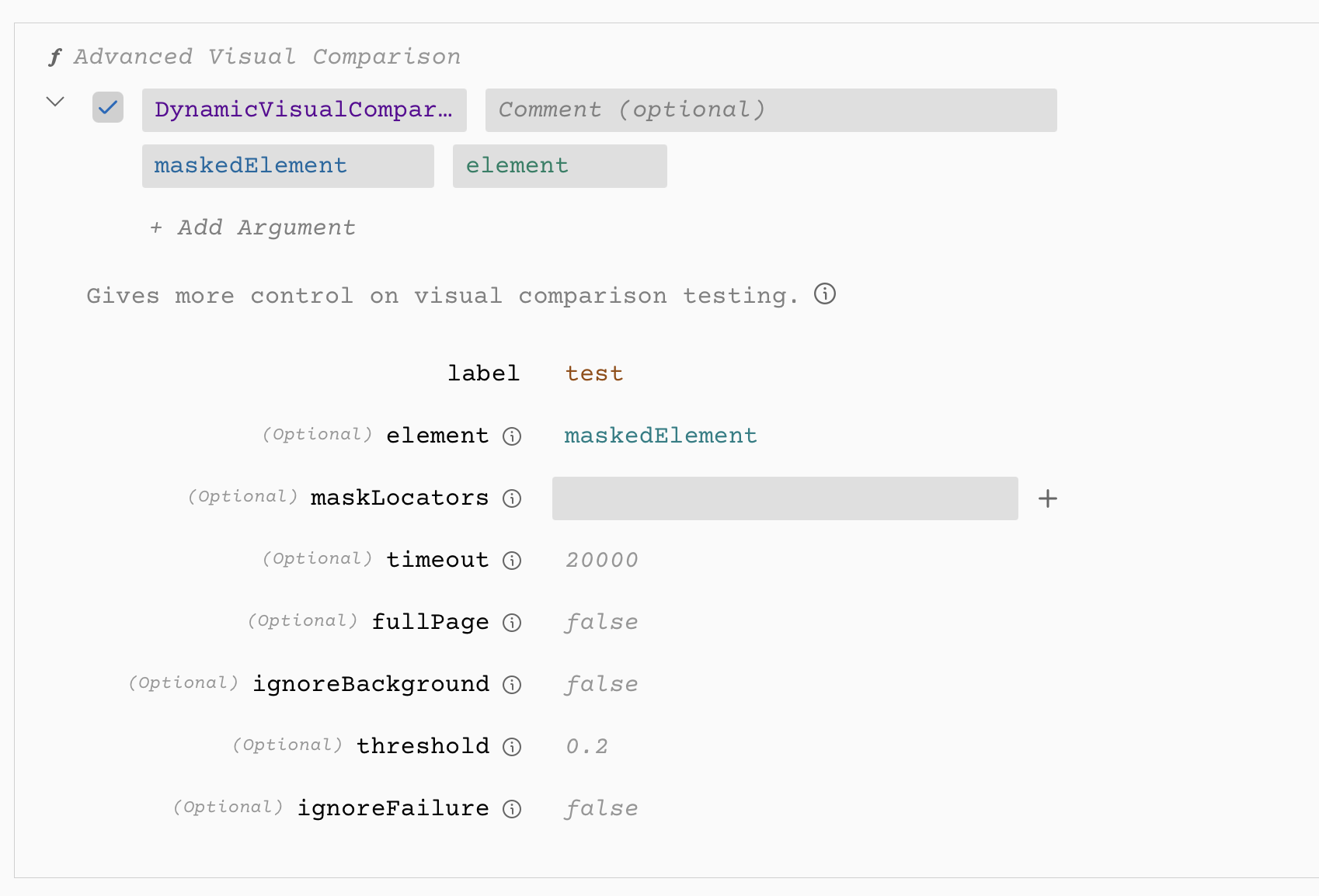
| Option | What it does |
|---|---|
| element | Compare only this element; otherwise the full page |
| maskLocators | Overlay masked locators so they are excluded from the diff |
| fullPage | Use the full scrollable page when true |
| threshold | 0–1 acceptable difference in pixel colors |
| ignoreBackground | Strip the background before snapshotting |
Functional and visual steps can live in the same test case.
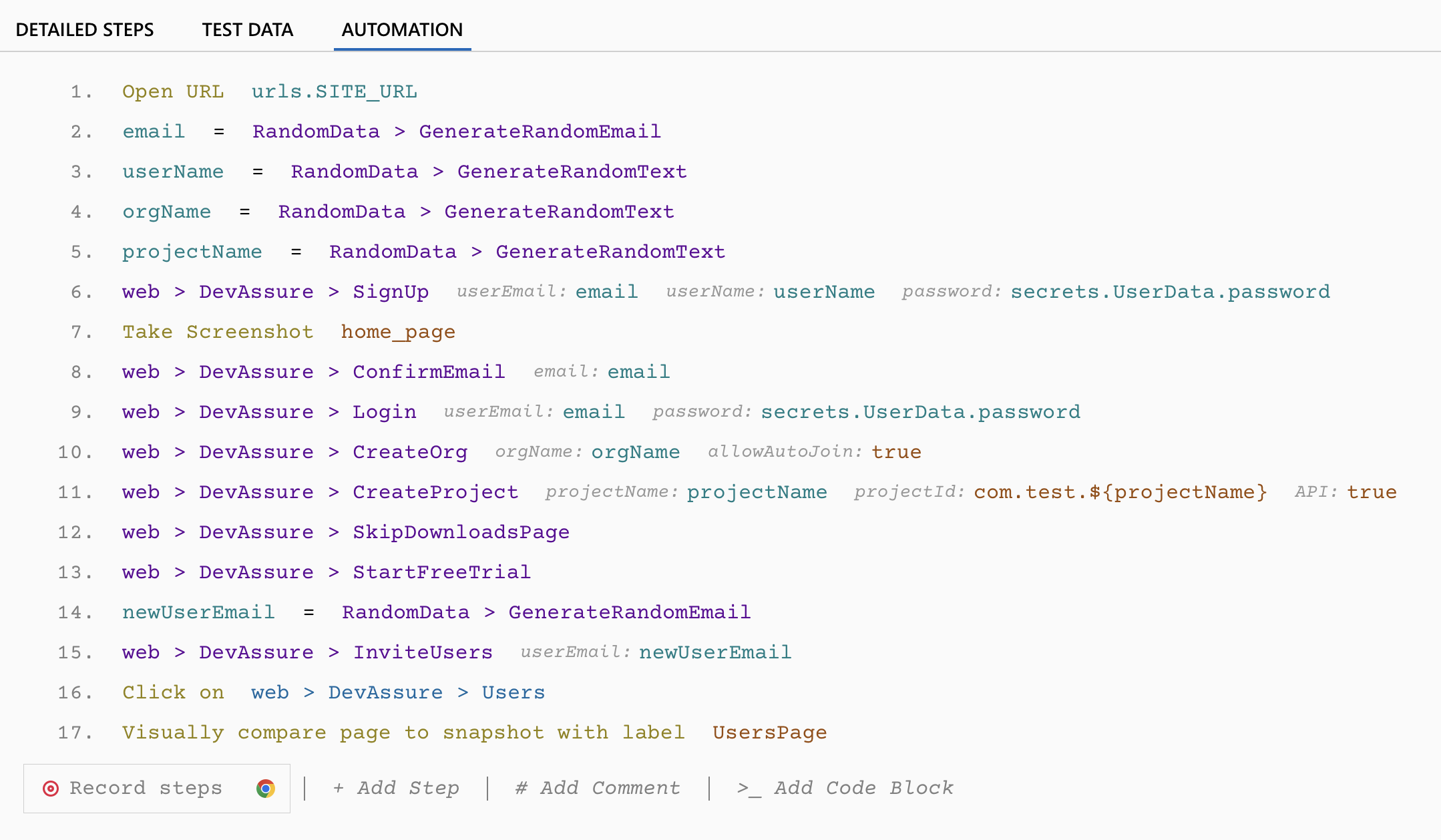
Docs: Visual testing in DevAssure.
On pull requests, DevAssure O2 exercises UI flows the diff actually touched, which catches a class of visual breakage without maintaining a baseline library for every component. Use platform visual mode when a release gate needs explicit pixel baselines.
Tools (short list)Direct link to Tools (short list)
This page is about the practice. For browser-level frameworks (Playwright, Cypress, Selenium) see web application testing tools. For platform and cloud options, see top software testing tools.
Visual-specific names teams still evaluate:
- Applitools — visual AI that tries to ignore irrelevant rendering noise
- Argos CI — open-source PR diffs, especially on GitHub
- BrowserStack Percy / LambdaTest — cloud screenshot grids
- DevAssure — baselines plus functional interleave; O2 for PR-scoped UI flows
Pick based on whether you need a maintained baseline library, a cloud device grid, or change-scoped checks on the PR.
🚀 See how DevAssure accelerates test automation, improves coverage, and reduces QA effort.
Ready to transform your testing process?
Frequently Asked Questions (FAQs)Direct link to Frequently Asked Questions (FAQs)
Visual regression testing compares the current UI against a baseline snapshot to catch unintended visual changes — misaligned buttons, broken layouts, color shifts, or lost content — that functional tests often miss.